
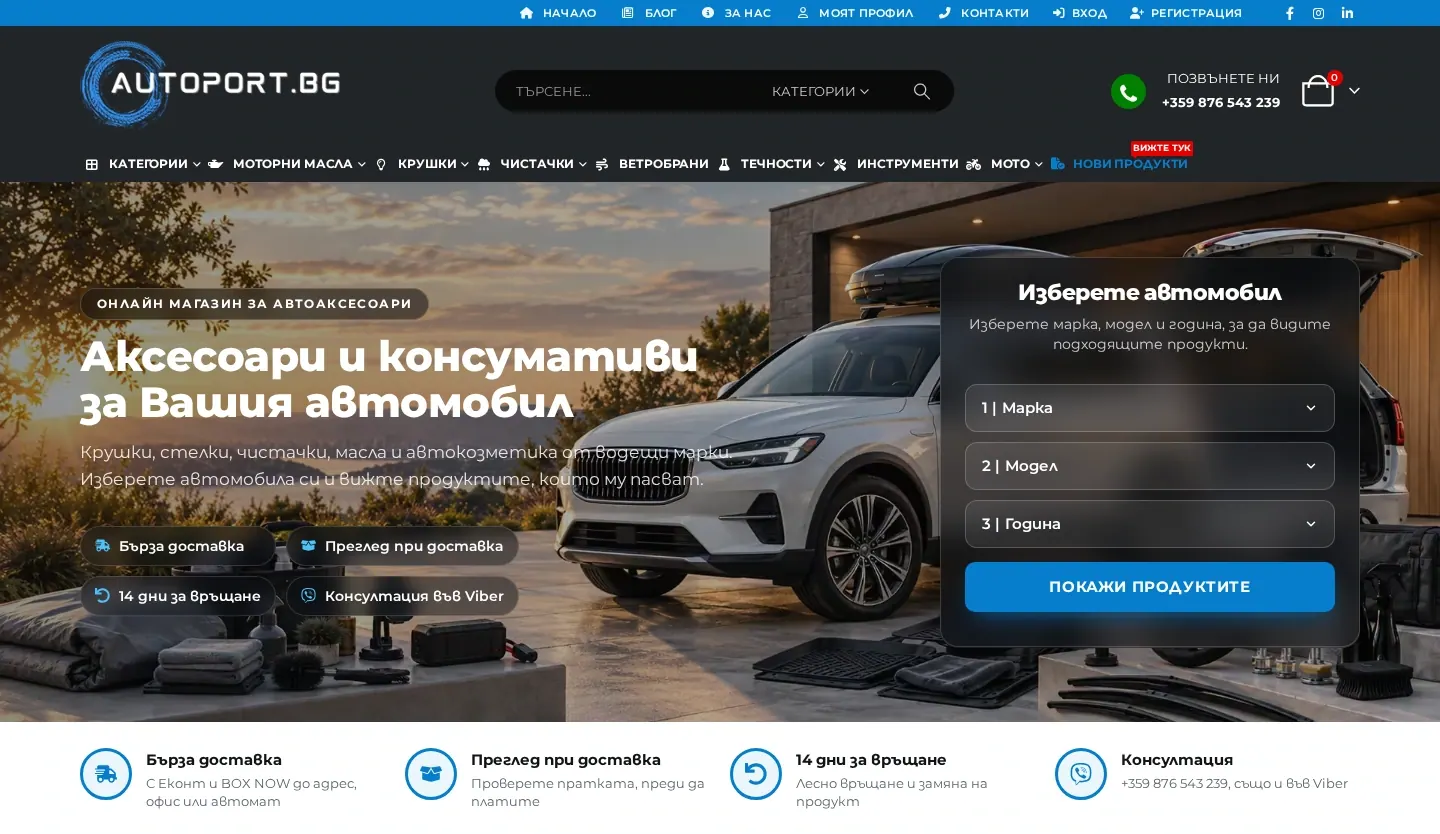
Autoport.bg
An online store for car accessories, including rubber and carpet mats, motor oils and additives, with product search by car make, model and year.
Services
WooCommerce is flexible, but its settings are easy to get tangled: variations, taxes, emails and extensions that clash with each other. Penkov Studio handles the technical side of WooCommerce stores, whether it is a brand-new store or an existing one that needs fixes or a clean-up.

WooCommerce
01
Properly configured global attributes, variable products and stock levels that filters and search can rely on.
A shorter checkout with only the fields you actually need and clear error messages.
Customer and admin emails that match your brand and carry the right information.
Changes to store logic through WooCommerce hooks and filters rather than editing plugin files.
Choosing and configuring extensions for payments, shipping, invoices and filters, without conflicts between them.
Caching that does not break the cart, lighter product pages and a clean-up of stale data in the database.
02
A look at versions, extensions, the theme, settings and any errors in the store.
A prioritised list of changes, so it is clear what comes first and why.
Changes are made and tested on a copy, so real orders are not interrupted.
Orders with different products, payments and shipping methods, plus checks on emails and statuses.
Deployment to the live store and a close eye on orders in the first few days.
03
Changes are tested first, and a backup is taken before every deployment.
Customisations live in a child theme or custom plugin, so WooCommerce updates do not wipe them out.
Day-to-day work on a live online store as E-Commerce and IT Administrator at BestAuto Bulgaria.
This page covers the technical side of WooCommerce. If you need a new store from scratch, start with online store development. If you already have a store and something in it is not working as it should, you are in the right place.
A common problem in WooCommerce stores is attributes created separately on each product instead of globally. Filters then stop working and the same property ends up spelled three different ways. Tidying up attributes and variations is unglamorous work, but filters, search and category SEO all depend on it.
When the store needs to behave differently, such as an extra checkout field, a different price for a customer group or a specific message in the cart, it is done through hooks and filters in a child theme or custom plugin. That way the change survives WooCommerce updates.
Aggressive caching speeds a site up, but if it does not exclude the cart, checkout and account pages, customers see wrong prices and empty carts. The settings are tuned carefully, and the measurements are part of the speed optimisation service.
Most stores need extensions for payments, shipping and invoicing, and each new one is checked for compatibility with the rest. Connections to external systems such as stock, ERP or courier services go through the WooCommerce REST API or the provider's own API. You will find more in API integrations.
autoport.bg is a WooCommerce store for car accessories with product search by car make, model and year. If you have a similar challenge, describe it in the project inquiry form and you will hear back about what can be done.
FAQ
Yes. It starts with a technical review of versions, extensions and errors, after which you get a prioritised list of recommendations.
Larger changes are made on a staging copy, and a backup is taken before anything goes live. The aim is to keep orders flowing.
The usual suspects are a heavy theme, too many extensions, unoptimised images and data piling up in the database. Measuring shows the actual cause.
Yes, for example extra fields, delivery rules or pricing for specific customers. It is done through hooks, without editing WooCommerce itself.
Yes. Products, categories and key URLs are transferred, and old URLs are redirected so you do not lose visibility in Google.
Technical, on-page and local SEO plus content, with a clear plan and results you can track in Search Console.
Explore the serviceA new design or a redesign that keeps your key pages and URLs intact, so you do not lose visibility in Google.
Explore the serviceFaster WordPress sites: WebP and AVIF images, caching, and less unused CSS and JavaScript.
Explore the serviceNext step
Tell us briefly what you need. You will get an email reply with a few clarifying questions and an indicative quote.